Define useful work
Describe the outcome and how you will judge it. The Coordinator can clarify the scope, select worker documents, define one to eight outcome stages and prepare the assignment. Manual task creation starts with one stage based on its title. The prepared description is the worker’s resolved handoff: what to achieve and why, consequential constraints and exceptions, how completion can be observed, and which sources apply. The Coordinator resolves conflicting requirements before preparation and keeps scheduling discussion outside the assignment. Workers receive guidance for their current attempt, including saved answers or revision feedback when relevant. Preparation fixes the task agreement and selected document revisions. Moving a card to Up next expresses priority, not readiness. Changes to an unstarted task’s requirements or references require preparation again; after work starts, ask the Coordinator to reconcile changes with the existing work. Task notes retain discussion and evidence; they do not silently rewrite the assignment.Priorities and queue
Drag tasks within Backlog or Up next to reorder them, or between those columns to change priority. The shared scheduler follows Up next order and skips work whose project, input or prerequisites are not ready. Read the card’s status for the specific next action.
New workspaces start paused with one worker slot. Run queue enables eligible starts; Pause queue prevents new starts while active workers continue. The saved queue choice survives service restarts. Increase Maximum parallel workers in Workspace settings → Workers when independent tasks can safely run together. Waiting for review frees a worker slot.
Each board column scrolls independently. On narrow screens, scroll sideways to reach the other columns.
Dependencies
A task can depend on tasks in other projects within the same workspace. Prerequisites must finish before dependent work starts; cycles and cross-workspace dependencies are rejected. Each dependent task retains its own checkout and delivery branch. Foreign prerequisite code is not merged into that repository’s Git history. Reopening or changing completed prerequisite work can require downstream reconciliation. Archiving unfinished work does not satisfy its dependents. Ask the Coordinator to review affected tasks when the plan changes.Follow an attempt
Open an In progress task to follow the worker’s activity and reported stages. The worker should finish by submitting an outcome with its checks and limitations, or asking a blocking question. A final chat summary alone does not create a reviewable result. If a worker ends normally without either, Flowfield immediately gives it one reminder in the same session and checkout. The reminder appears in activity and asks it to report the work already performed, including partial progress or a blocking question when appropriate. The worker keeps its existing tools and permissions; submitted code still requires your exact approval. Normal submissions need no extra model turn. When the reminder is needed, it uses additional model tokens; its cost depends on the session context, model and caching, not just the reminder’s length. It keeps the worker slot occupied until the attempt ends and cleanup is confirmed. If the worker still finishes without a submission or question, work is preserved and the attempt needs inspection and explicit retry. Stop worker ends an active attempt, including one responding to a reminder, and preserves its unfinished work. Retry worker queues a fresh attempt; it respects pause, dependencies and capacity. Follow the displayed recovery action if native cleanup is uncertain. The reporting reminder does not restart stopped or interrupted attempts.Work through Inbox
Inbox gathers attention across the workspace under Needs your action, Waiting and History. Its badge counts items needing your action; the project filter narrows the view.
Saved worker answers need no separate human apply step. Once assigned to a continuation, the answer remains in history; send a correction as new input rather than replacing it. Answering or retrying never enables a paused queue. The same actions are available from the task, and the Coordinator can help sort the Inbox and follow up.
Review an exact result
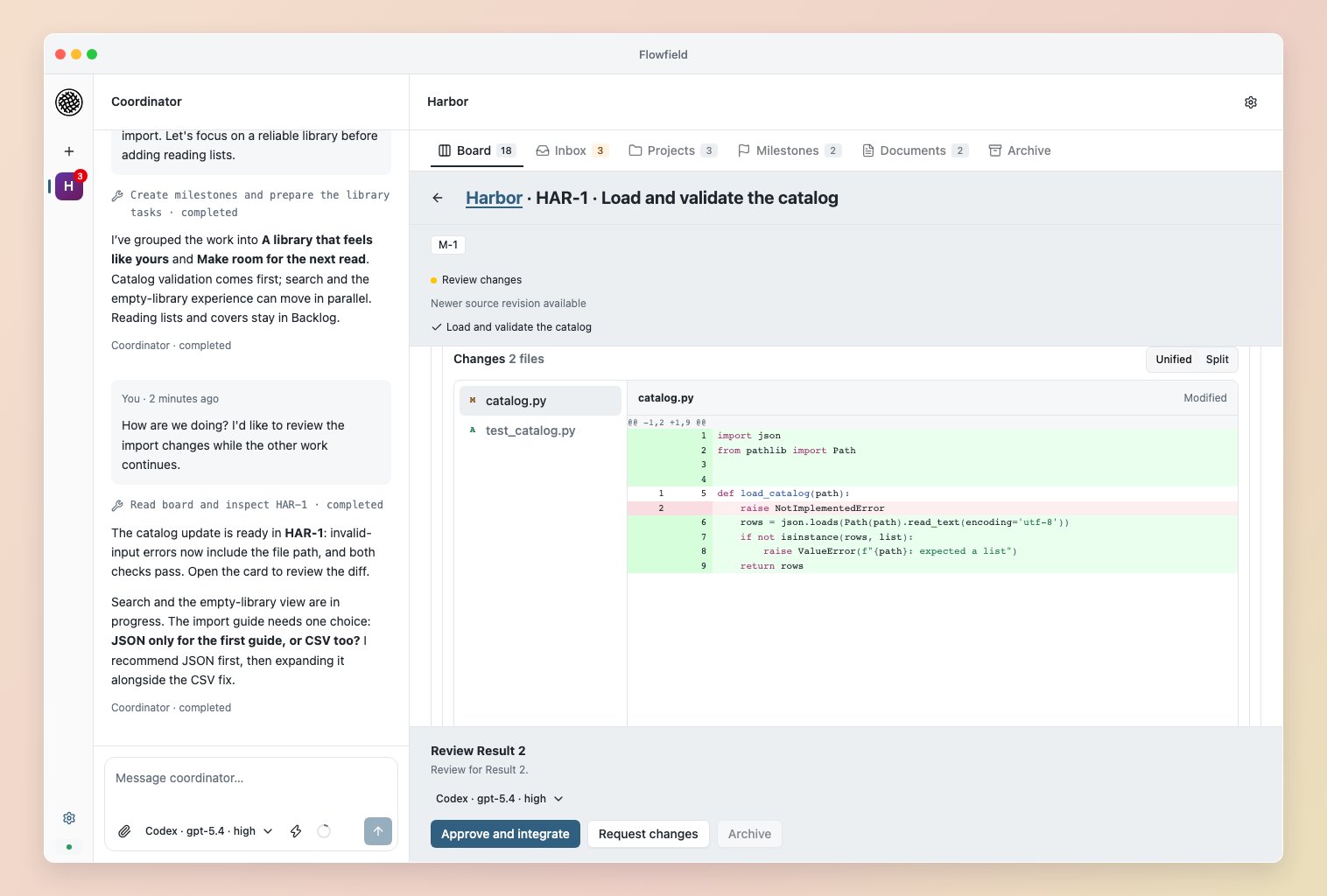
Read the worker report, limitations and checks against the task’s success criteria. Project checks and worker-authored tests are useful evidence; try representative inputs or ask the Coordinator to investigate gaps before deciding what ships. Code changes shows the candidate’s changed files and diff. Try result prepares an independent copy and a launcher using the project’s saved run configuration. See worker setup. Trying or inspecting a result grants no approval.