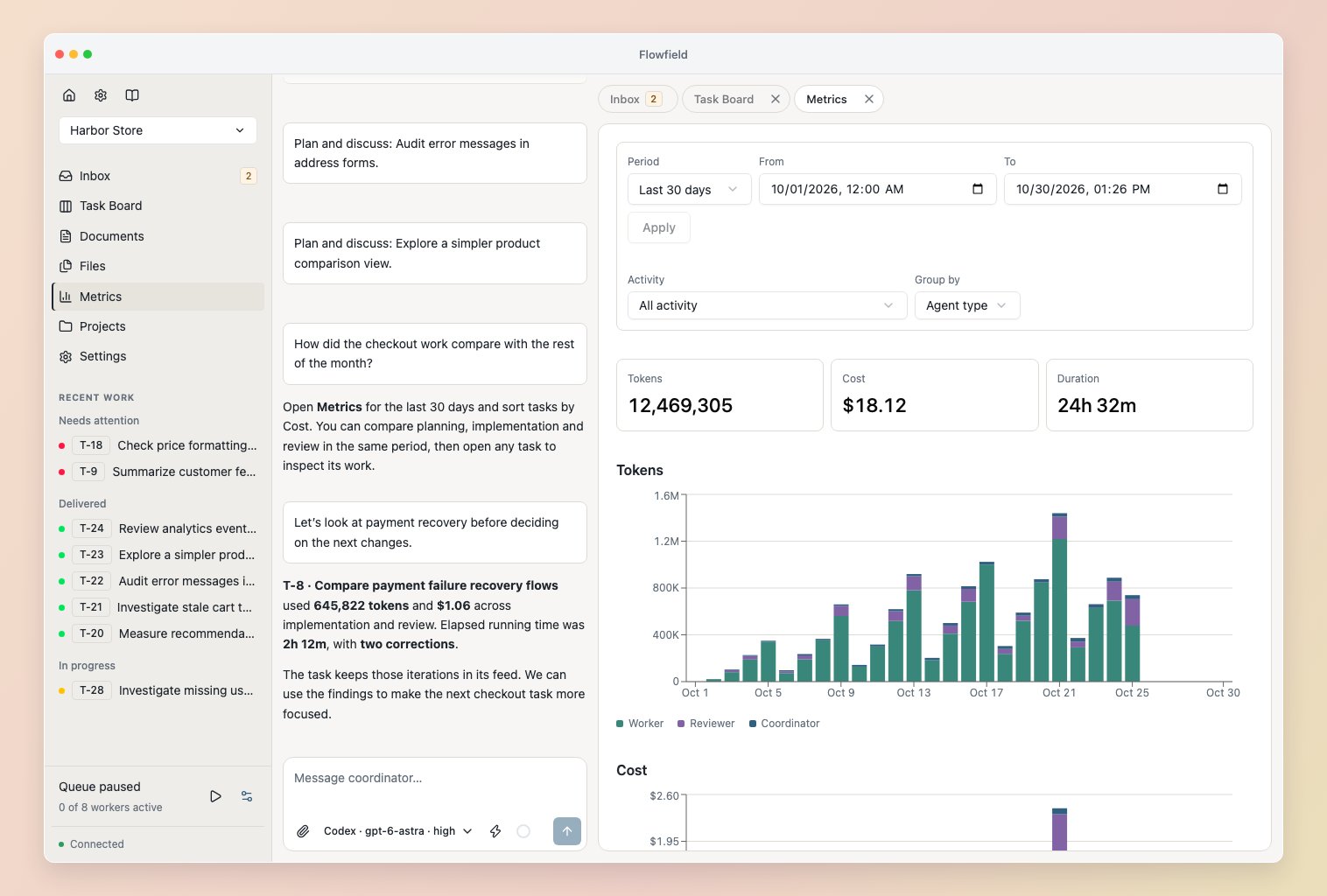
Explore workspace activity
Choose a Period, or enter From and To in your local time and select Apply. Use Activity to select all work, the Coordinator or a task, and Group by to compare agent types, harnesses or models. The charts and task table share these filters. Click a day or hour to narrow the range; use arrow keys and Enter when navigating by keyboard. Sort the Tasks table by Tokens, Cost or Duration, then open a task for its details. Bookmarks retain your selection. Tokens and Cost use stacked bars. Duration uses separate lines because parallel work overlaps and should not be added together.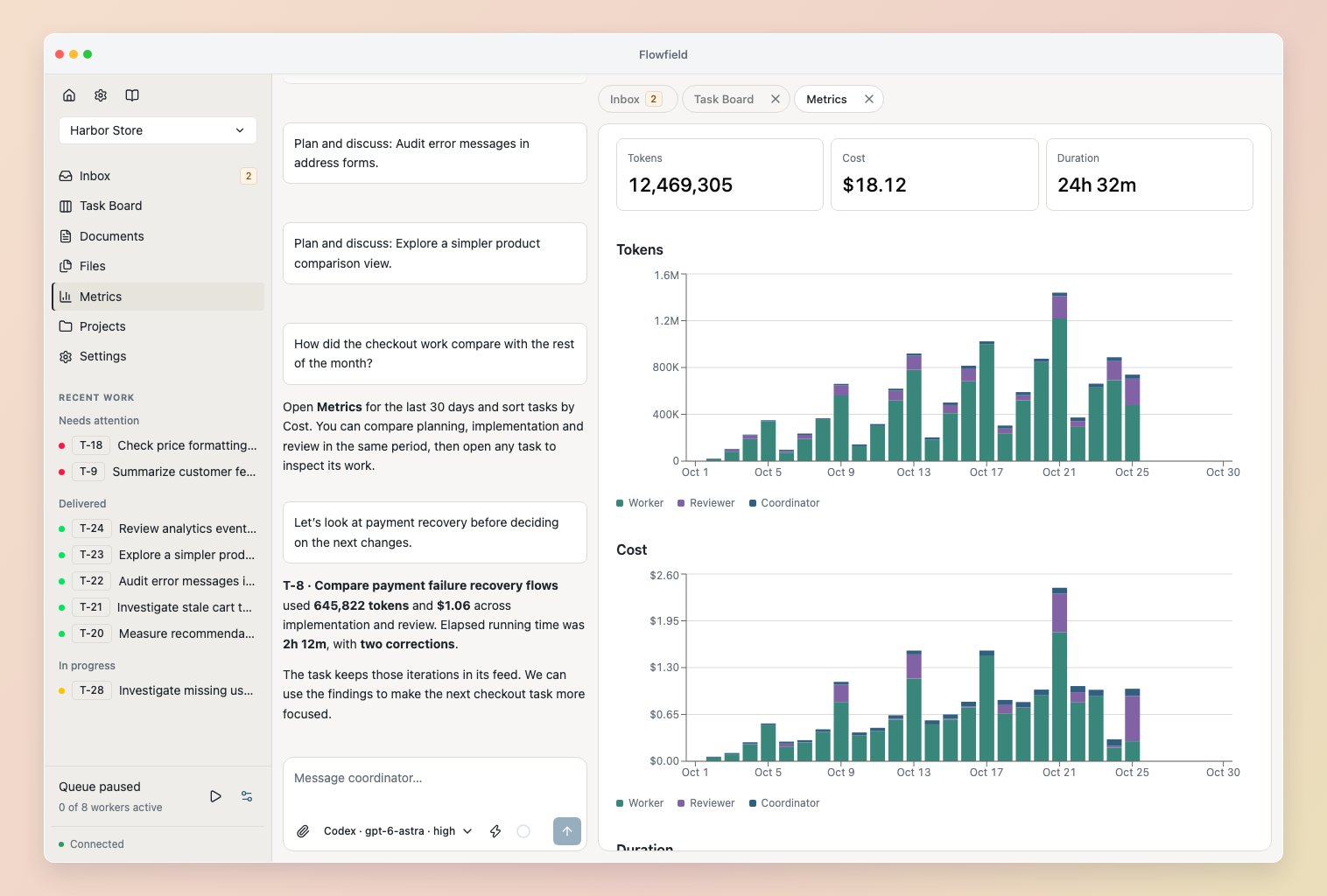
Inspect a task
Tasks show lifetime Tokens, Cost, Duration and Corrections. Hover, focus or tap a callout for details and the Worker/Reviewer breakdown. On narrow screens, scroll the row to see all four.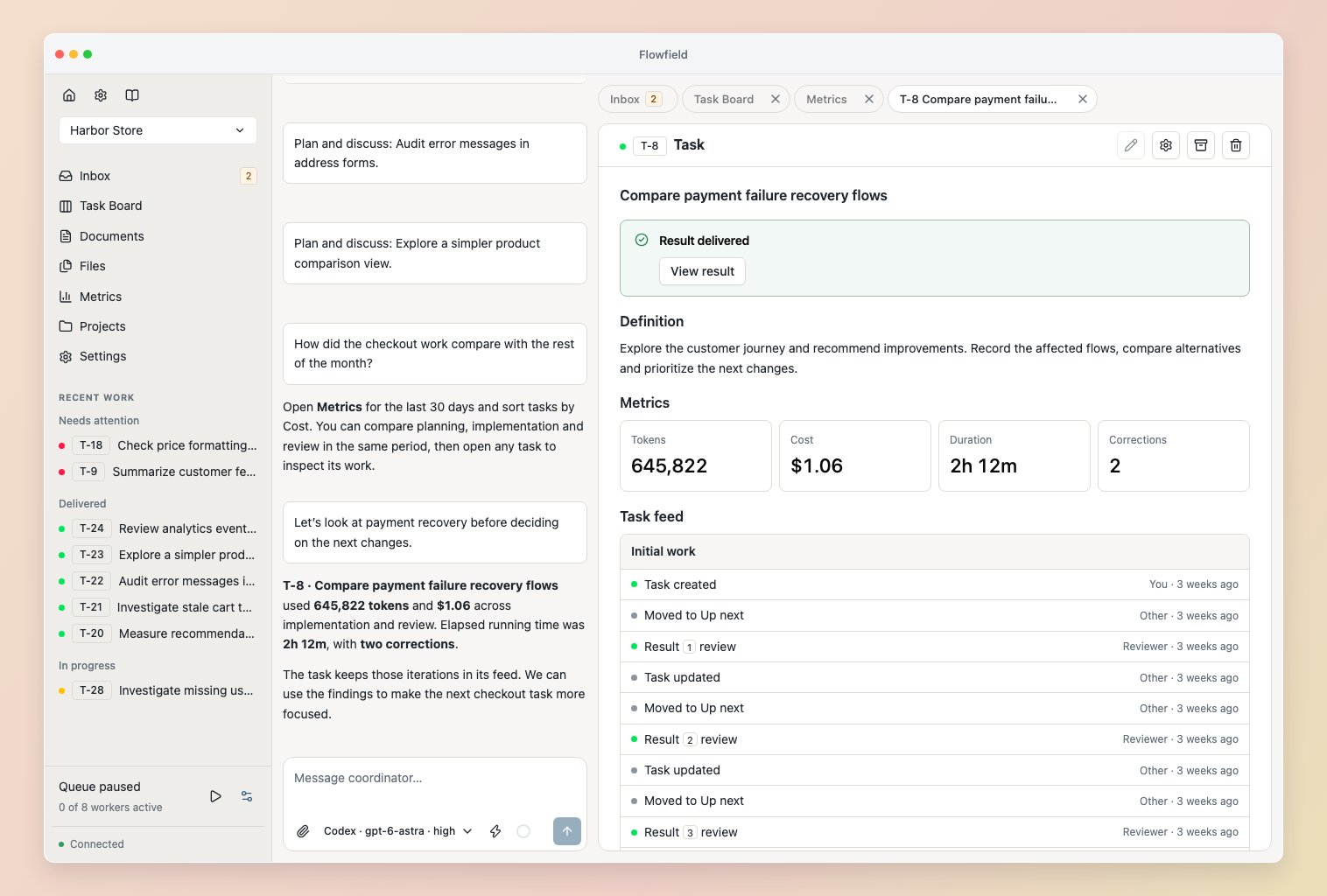
Understand the numbers
- Tokens are reported by the harness, including cached input without double-counting.
- Cost estimates reported input, output and cache usage at each model’s USD API rates, including helper models. Missing Codex cache detail uses the input rate. Tooltips show pricing dates; saved costs keep their rates. Values below one cent show
<$0.01. - Duration counts overlapping running time once and excludes idle gaps.
—.